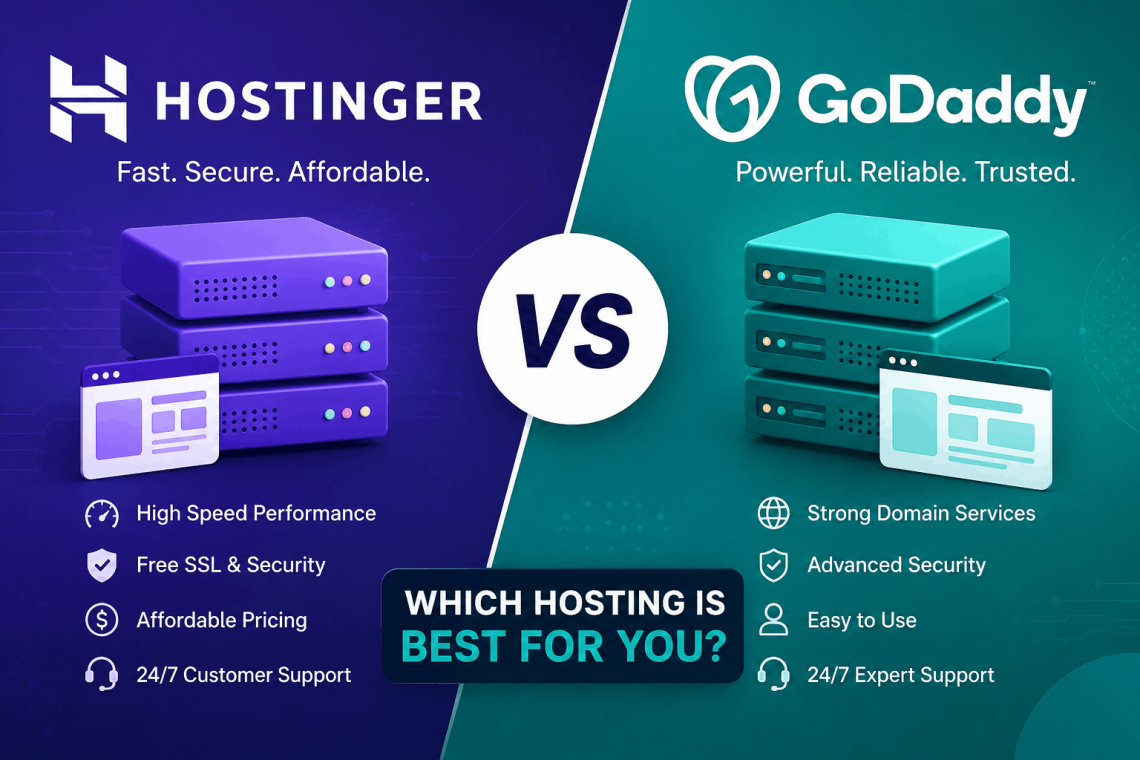
Hostinger vs GoDaddy: The Complete Guide to Choosing the Right Web Host in 2025
Choosing a web hosting provider is one of the most important decisions you’ll make for your website. Get it right and you’ll have fast load times, reliable uptime, helpful support, and room to grow. Get it wrong and you’ll be dealing with slow speeds, surprise price hikes, and a platform that fights you at every step.
Two names come up constantly in this conversation: Hostinger vs GoDaddy. Both are among the most recognized hosting providers in the world. Both serve millions of customers. But they are built on fundamentally different philosophies, and the right choice depends entirely on what you need.
This guide puts Hostinger vs GoDaddy head-to-head across every category that actually matters pricing, performance, features, ease of use, customer support, and scalability. By the end, you’ll know exactly which one fits your situation.
Hostinger vs GoDaddy: A Quick Overview
Before getting into the details, it helps to understand what each company stands for.
Hostinger is a Lithuanian-based hosting company founded in 2004. It built its reputation on offering genuinely low prices without gutting the quality of what you get. The company focuses on shared hosting, WordPress hosting, VPS, and cloud hosting . and it serves over 29 million users across 178 countries. Its custom control panel, hPanel, is designed to make hosting management accessible to beginners without limiting experienced users.
GoDaddy is an American company founded in 1997 and is arguably the most recognizable name in web hosting and domain registration globally. It hosts over 10 million websites and has over 20 million customers. GoDaddy started as a domain registrar and expanded into hosting, website building, email marketing, and a range of business tools. Its brand recognition is enormous, driven in part by years of aggressive marketing.
On the surface, both companies offer similar products. The differences show up in the details.
Hostinger vs GoDaddy Pricing Comparison
Pricing is where the Hostinger vs GoDaddy comparison becomes immediately clear for most buyers.
Hostinger Pricing
Hostinger is built around affordability. Its shared hosting plans start at around $2.99 per month for the Single plan, which covers one website. The Premium plan . which allows unlimited websites and comes with a free domain . typically runs between $3.99 and $4.99 per month on introductory offers.
The Business plan, which adds daily backups, improved performance, and a free SSL certificate, is usually available for around $6.99 to $7.99 per month.
These prices apply when you commit to a multi-year term. Renewal rates are higher, which is standard across the hosting industry . but Hostinger’s renewal prices are still competitive compared to many rivals.
GoDaddy Pricing
GoDaddy’s entry-level shared hosting starts at around $5.99 to $8.99 per month, depending on current promotions. The introductory pricing looks manageable, but GoDaddy’s renewal rates are where many customers get caught off guard . they can jump to two or three times the introductory price once the initial term ends.
GoDaddy’s pricing structure also tends to involve upsells. Many features that come included with Hostinger plans . like SSL certificates, domain privacy protection, and backups . are sold as add-ons by GoDaddy, which inflates the effective cost of ownership.
Which Is More Affordable?
In the Hostinger vs GoDaddy pricing comparison, Hostinger wins . and it’s not particularly close. You get more features included at a lower base price, and the renewal rates are more predictable.
GoDaddy’s pricing can work out fine if you watch the renewal terms carefully and decline unnecessary add-ons, but the total cost of running a website on GoDaddy over multiple years is typically higher than on Hostinger.
Hostinger vs GoDaddy Performance and Speed
Website speed directly affects user experience and search engine rankings. Google uses page speed as a ranking factor, and visitors abandon pages that take more than a few seconds to load. Performance is a category where the Hostinger vs GoDaddy comparison has a clear leader.
Hostinger Performance
Hostinger has invested heavily in infrastructure and server technology. Its hosting plans use LiteSpeed web servers widely regarded as faster than the Apache and Nginx setups used by many competitors. LiteSpeed serves cached content extremely efficiently and handles traffic spikes better than Apache.
Hostinger also uses SSD storage across all plans, which loads files faster than traditional spinning hard drives. Its server network includes data centers across the Americas, Europe, Asia, and the Middle East, letting you choose a server location close to your target audience.
Independent speed tests and third-party benchmarks consistently show Hostinger delivering sub-second Time to First Byte (TTFB) on its hosting plans . a strong indicator of server responsiven
Daddy Performance
GoDaddy’s performance has improved over the years, but it has historically lagged behind newer, more performance-focused hosts. Its shared hosting uses a combination of Apache and Nginx depending on the server configuration, which is capable but doesn’t match LiteSpeed for raw efficiency.
GoDaddy does have a broad network of data centers, and its performance on managed WordPress plans is notably better than its standard shared hosting. However, for general shared hosting, GoDaddy’s speed metrics tend to rank behind Hostinger in direct comparisons.
H3: Uptime Reliability
Both providers offer uptime guarantees. Hostinger promises 99.9% uptime and generally delivers on it based on independent monitoring data. GoDaddy also promises 99.9% uptime and its uptime performance is similarly reliable at the enterprise level.
For most users, both providers are reliable enough that uptime won’t be a deciding factor. Performance on load speed, where Hostinger holds an advantage, is the more meaningful differentiator.
Hostinger vs GoDaddy Control Panel and Ease of Use
The control panel is what you use every day to manage your website, email, databases, and files. A clean, intuitive panel saves time. A cluttered, confusing one wastes it.
Hostinger hPanel
Hostinger built its own control panel hPanel from scratch. The result is a clean, modern interface organized around the tasks people actually perform most often. Navigation is logical, load times within the panel are fast, and the layout doesn’t overwhelm beginners with options they’ll never use.
Key tasks in hPanel installing WordPress, creating email accounts, managing DNS records, installing SSL certificates are all accessible within a few clicks. The panel also includes a built-in website builder, a file manager, one-click installers for popular applications, and database management tools.
For beginners, hPanel is one of the friendliest hosting control panels available. For experienced users, it offers enough depth to handle professional hosting management without needing to resort to command-line tools for routine tasks.
GoDaddy’s Control Panel
GoDaddy uses a proprietary dashboard that has evolved significantly over the years. The experience is generally clean at the surface level, but it tends to surface upsell prompts and promotional offers within the interface . which some users find distracting and others find irritating.
For standard tasks like setting up WordPress or managing email, GoDaddy’s dashboard works fine. However, users who need to perform more advanced configurations sometimes find that features are buried deeper in the navigation than expected.
GoDaddy also offers access to cPanel on some of its hosting plans, which is familiar to experienced hosting users who’ve worked with it before. cPanel’s functionality is broad, but its interface is older and not as intuitive for newcomers as hPanel.
Website Builder Comparison
Both providers include website builders.
Hostinger’s website builder uses an AI-assisted approach . you answer a few questions about your business, and the builder generates a starting design that you then customize with a drag-and-drop editor. The results are modern, mobile-responsive, and require no design background to produce something professional-looking.
GoDaddy’s website builder (called GoDaddy Website Builder or Websites + Marketing) is more feature-rich for business-oriented sites. It includes built-in marketing tools, appointment scheduling, and e-commerce features. It’s more polished for specific business use cases but is also more complex to navigate.
If you just want a fast, clean website without many built-in business tools, Hostinger’s builder is simpler. If you need integrated marketing and booking features, GoDaddy’s builder has more to offer out of the box.
Hostinger vs GoDaddy WordPress Hosting
WordPress powers over 40% of all websites on the internet. Both Hostinger and GoDaddy offer dedicated WordPress hosting plans, but the experiences are quite different.
Hostinger WordPress Hosting
Hostinger’s WordPress hosting is built on the same LiteSpeed infrastructure as its standard shared hosting, with additional WordPress-specific optimizations. Plans include:
- One-click WordPress installation
- Automatic WordPress updates
- LiteSpeed Cache plugin pre-configured
- WordPress-optimized server settings
- Free SSL and domain (on higher-tier plans)
- Staging environments (on Business plans and above)
Hostinger also offers managed WordPress hosting at higher price points, with automated backups, enhanced security scanning, and priority support.
Performance on Hostinger’s WordPress plans is strong. The LiteSpeed Cache integration in particular makes a measurable difference in page load times compared to standard caching setups.
GoDaddy WordPress Hosting
GoDaddy’s managed WordPress hosting is one of its stronger products. It includes:
- Automatic WordPress core updates
- Daily malware scanning
- Automatic daily backups
- CDN integration for faster global delivery
- Pre-installed performance tools
GoDaddy’s managed WordPress plans are genuinely well-built and offer a more hands-off experience than Hostinger’s standard WordPress hosting. The tradeoff is cost . GoDaddy’s managed WordPress plans are priced higher than comparable Hostinger offerings.
For high-traffic WordPress sites where automated management is a priority, GoDaddy’s managed WordPress is worth considering. For most small to medium WordPress sites where cost efficiency matters, Hostinger delivers better value.
Hostinger vs GoDaddy Customer Support
When something goes wrong with your website, the quality of customer support can mean the difference between a 10-minute fix and a 3-hour ordeal.
Hostinger Support
Hostinger offers 24/7 customer support via live chat. Response times are generally fast . most users report connecting with an agent within a few minutes even during busy periods.
The quality of Hostinger’s support has improved markedly over the past few years. Agents can handle a wide range of technical issues directly in chat without needing to escalate to ticket-only support.
Hostinger also maintains an extensive knowledge base at support.hostinger.com, covering tutorials, troubleshooting guides, and step-by-step walkthroughs for virtually every task in hPanel. For users who prefer to find answers independently, the documentation is thorough and well-organized.
One limitation: Hostinger does not offer phone support. All support goes through chat or the ticket system. For users who strongly prefer speaking to someone by phone, this is a genuine drawback.
GoDaddy Support
GoDaddy offers 24/7 support across multiple channels, including live chat and phone support. The availability of phone support is a meaningful advantage for users who prefer voice communication, especially for urgent issues.
However, GoDaddy’s support quality can be inconsistent. Agents vary widely in technical depth, and some users report being transferred multiple times or given generic answers before reaching someone who can resolve the issue.
GoDaddy also has a large knowledge base and an active community forum where users can find answers to common problems. For technical issues that require deep server-level knowledge, GoDaddy’s support can sometimes feel less specialized than Hostinger’s.
Support Verdict
The Hostinger vs GoDaddy support comparison is close. GoDaddy wins on channel variety by offering phone support. Hostinger wins on consistency and technical quality of chat support. If phone support is non-negotiable for you, GoDaddy has an edge. If you’re comfortable with chat and want fast, technically capable responses, Hostinger is the better experience.
Hostinger vs GoDaddy Features Included With Plans
What you get without paying extra matters. The Hostinger vs GoDaddy comparison on included features reveals a meaningful difference in overall value.
What Hostinger Includes
Hostinger packages a generous set of features into its standard plans:
- Free SSL certificate on all plans
- Free domain on Premium plans and above
- Free CDN (Cloudflare integration)
- Unlimited bandwidth on most plans
- Unlimited email accounts
- Weekly or daily backups (depending on plan tier)
- One-click installer for 100+ applications
- SSH access on Business plans and above
- Unlimited MySQL databases
- Access to Cloudflare’s nameservers for DNS management
What GoDaddy Includes
GoDaddy’s standard plans include core hosting features but require additional purchases for several things Hostinger bundles in:
- SSL certificates: Free for the first year, then a paid renewal (prices vary)
- Domain privacy protection: Available as a paid add-on (usually $9.99–$14.99/year)
- Automated backups: Included on some plans but sold as an add-on on entry-level plans
- Email hosting: GoDaddy’s email service (Microsoft 365-based) is sold separately from hosting
- CDN: Not included in standard plans; available through separate services
When you add up the true cost of operating a website on GoDaddy with all the features Hostinger includes by default, the price gap between the two platforms widens considerably.
Hostinger vs GoDaddy Domain Registration
Both companies are domain registrars, though their approaches and pricing differ.
Hostinger Domain Registration
Hostinger offers domain registration at competitive prices, with many common TLDs (.com, .net, .org, .co) priced comparably to industry averages. Domain privacy protection (WHOIS privacy) is included free with Hostinger domains . a notable benefit since many registrars charge $10–$15 per year for this protection.
Hostinger includes a free domain for one year with its Premium hosting plans and above, which reduces the effective cost of getting started.
GoDaddy Domain Registration
GoDaddy is the world’s largest domain registrar by volume, with over 84 million domains under management. The sheer scale of GoDaddy’s domain business means it has excellent domain search tooling, a wide range of TLD options, and a reliable registration process.
However, GoDaddy charges separately for domain privacy protection and its renewal prices for domains can be higher than the initial registration price . a pattern that catches some first-time buyers off guard.
For pure domain registration, GoDaddy’s infrastructure and reliability are excellent. But the added costs for privacy protection and higher renewal rates make Hostinger a more transparent choice for domain registration, particularly when bundled with hosting.
Hostinger vs GoDaddy Scalability and Advanced Hosting
As your website grows, your hosting needs change. How well does each platform handle scaling?
Hostinger Scalability Options
Hostinger offers a clear upgrade path from shared hosting to VPS and cloud hosting. Its VPS plans are particularly well-regarded they offer full root access, multiple Linux distributions, and server resources that scale cleanly from entry-level to high-performance configurations.
For developers and growing businesses, Hostinger’s VPS hosting provides a genuine step up in performance and control without the cost of a dedicated server. Cloud hosting plans offer further horizontal scalability.
GoDaddy Scalability Options
GoDaddy offers VPS hosting, dedicated servers, and its own cloud hosting products. Its dedicated server options are particularly strong for enterprises that need hardware-level control and high resource allocation.
GoDaddy’s VPS hosting is more expensive than Hostinger’s but comes with optional managed support useful for users who want the power of a VPS without the responsibility of full server management.
For large enterprise deployments or high-traffic sites that need dedicated infrastructure, GoDaddy’s range of advanced hosting options is broad. For growing small businesses and developers who want cost-effective VPS hosting, Hostinger is more accessible
Hostinger vs GoDaddy Security Features
Website security is non-negotiable. Both providers take security seriously, but their approaches differ.
Hostinger Security
Hostinger includes the following security features across its plans:
- Free SSL certificates (Let’s Encrypt) on all plans
- Cloudflare integration for DDoS protection and firewall
- Automatic malware scanning
- Two-factor authentication for account access
- Secure FTP (SFTP) and SSH access
- Web Application Firewall (WAF) on higher-tier plans
- Automated backups on Business and above
For most websites, Hostinger’s included security features provide a solid baseline without requiring additional purchases.
GoDaddy Security
GoDaddy offers security tools but packages many of them as paid add-ons:
- SSL certificates: Free for year one, then paid renewal
- SiteLock malware scanning and removal: Paid add-on (starts around $5.99/month)
- GoDaddy Website Security suite: Premium paid product for active threat removal
- DDoS protection: Included at the server level but not through a user-configured CDN
GoDaddy’s Website Security products are genuinely capable, especially for high-risk or high-traffic sites. But the fact that they’re sold separately means the base cost of adequate security on GoDaddy is higher than on Hostinger.
Who Should Choose Hostinger?
Based on the Hostinger vs GoDaddy comparison across all categories, Hostinger is the better fit for:
- Beginners starting their first website who want an affordable, feature-rich plan without add-on costs
- Bloggers and content creators who need reliable WordPress hosting at a low price point
- Freelancers and agencies managing multiple client websites who need cost efficiency across multiple plans
- Developers who want accessible VPS hosting with full server control
- Budget-conscious businesses who want to minimize hosting costs without compromising on core features
- International users who need server locations outside the United States for better performance targeting
Who Should Choose GoDaddy?
GoDaddy makes more sense for:
- Users who require phone support and want to speak with someone directly for account issues
- Businesses using Microsoft 365 who want their email and hosting managed through a single provider
- High-traffic or enterprise sites that need dedicated server infrastructure with managed support options
- Users who prioritize domain management at scale and want the most established registrar in the industry
- Businesses using GoDaddy’s marketing tools . appointment scheduling, social media integration, and email marketing built into their website platfo
- The Finaa For the majority of website owners
beginners, bloggers, small businesses, freelancers, and WordPress users Hostinger is the stronger choice. It offers better performance through LiteSpeed technology, more features included at a lower price, a cleaner and more intuitive control panel, and competitive VPS options for sites that need to scale.
GoDaddy earns its place for specific use cases: users who need phone support, enterprises requiring dedicated infrastructure, and businesses that want a single provider for hosting, email (Microsoft 365), and digital marketing tools.
The Hostinger vs GoDaddy decision ultimately comes down to your priorities. If price, performance, and value are at the top of your list, Hostinger wins the comparison clearly. If brand familiarity, phone support, or enterprise-grade infrastructure matter most, GoDaddy has the products to serve those needs.
Either way, now you have the information to make the right call for your specific situation without getting lost in marketing language or being caught off guard by hidden costs down the line.