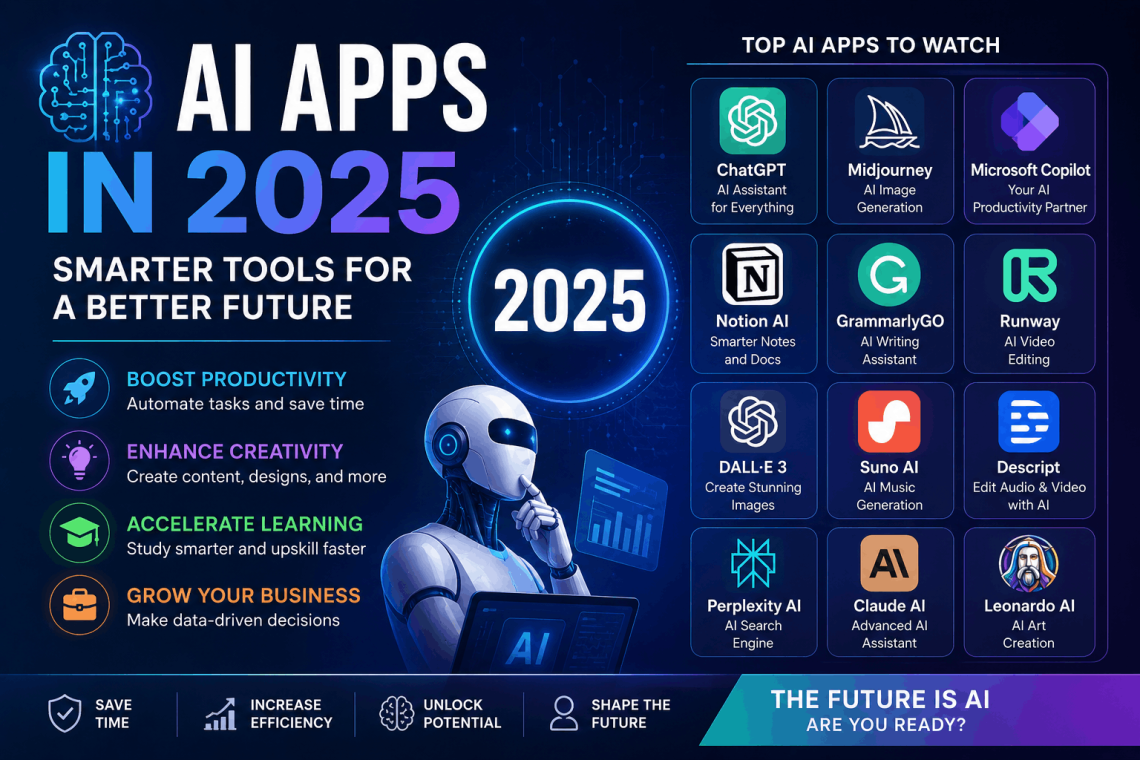
AI Apps in 2025: The Best Tools Changing How We Work, Create, and Communicate
Artificial intelligence has moved from science fiction to everyday utility. The ai apps available today can write emails, edit photos, generate code, answer complex questions, transcribe meetings, and handle customer support all without requiring a technical background to use them.
Whether you’re a student trying to study smarter, a freelancer looking to take on more clients, or a business owner trying to cut operational costs, there is an ai app built for exactly what you need. This guide breaks down the categories, the standout tools, and what you should look for when choosing the right one.
What Are AI Apps?
AI apps are software applications powered by artificial intelligence specifically machine learning models that can understand language, recognize patterns, generate content, or make decisions based on data. Unlike traditional software that follows fixed rules, ai apps learn from inputs and improve over time.
They run on phones, desktops, and browsers. Some require a subscription; others are free with optional upgrades. The best ones feel less like software tools and more like having a knowledgeable assistant available at any hour.
The rapid improvement of large language models, image generation systems, and voice recognition technology has made 2024 and 2025 a turning point. AI apps that once felt like novelties are now legitimate productivity tools used by professionals across every industry.
Why AI Apps Are Worth Paying Attention To
The case for using ai apps isn’t about chasing trends. It’s about time and output quality.
Tasks that used to take hours can now take minutes. First drafts of reports, presentations, marketing copy, and code can be generated in seconds and then refined by a human editor. That shift in the effort curve from creating from scratch to reviewing and refining is where the real time savings come from.
For small teams and solo operators, ai apps effectively expand what’s possible without hiring. A single person can now manage content production, customer communication, data analysis, and design work that previously required several specialists.
Categories of AI Apps You Should Know
AI Writing and Content Apps
Writing ai apps are among the most widely adopted tools in the current wave of artificial intelligence. They use large language models to generate, edit, rewrite, or summarize text based on a prompt.
These tools are used for:
- Blog posts and articles
- Email drafts and replies
- Social media captions
- Product descriptions
- Ad copy and sales pages
- Academic research summaries
The best writing ai apps don’t replace human judgment . they accelerate the first draft. A skilled writer using one of these tools can produce twice the output in the same amount of time while maintaining their own voice and quality standards.
What to look for: Tone customization, support for long-form content, factual accuracy, and integration with your existing workflow tools.
AI Image Generation Apps
Image generation ai apps create visual content from text descriptions. You type what you want to see, and the app produces an image . often in seconds.
These tools have disrupted stock photography and opened new possibilities for designers, marketers, and content creators who need custom visuals without hiring an illustrator or photographer for every project.
Common uses include:
- Marketing banners and social media graphics
- Concept art and mood boards
- Product mockups
- Website illustrations
- Book covers and thumbnails
The quality of output varies between tools, and getting great results takes practice witprompting. Specificity matters the more detail you include in your prompt, the closer the output will be to what you imagined.
What to look for: Style range, resolution options, commercial licensing rights, and how well the tool handles text within images.
AI Productivity and Scheduling Apps
Not every ai app is about content creation. A growing category focuses purely on productivity helping users manage their time, prioritize tasks, reduce meeting load, and stay organized.
These tools integrate with calendars, email, and project management platforms to understand your schedule, identify bottlenecks, and suggest optimizations. Some can automatically draft meeting agendas, send follow-up emails, or summarize long email threads so you don’t have to read them in full.
For knowledge workers, these ai apps target the unglamorous but time-consuming overhead that fills the workday things like scheduling coordination, inbox triage, and status update writing.
What to look for: Integration with your existing stack (Google Workspace, Microsoft 365, Slack, Notion), data privacy policies, and how well the tool handles context from previous interactions.
H3: AI Coding and Developer Apps
Software developers were among the earliest adopters of ai apps, and for good reason. Code generation tools can write functions, fix bugs, suggest optimizations, and explain unfamiliar codebases in plain language.
These tools work inside popular code editors as plugins or extensions, offering inline suggestions as developers type. They can handle repetitive boilerplate code, convert code between programming languages, and generate unit tests . all tasks that slow down development without adding much creative challenge.
Non-developers also benefit from coding ai apps. Someone who understands what they want to build but doesn’t know how to code can describe a function in plain English and get working code back. This has made simple automation and scripting accessible to a much wider audience.
What to look for: Support for your programming languages, accuracy on complex logic, how it handles security-sensitive code, and context window size (how much of your codebase it can understand at once).
H3: AI Customer Support and Chatbot Apps
Businesses of all sizes are using ai apps to handle customer inquiries around the clock. AI-powered chatbots can answer frequently asked questions, collect information before routing to a human agent, process simple requests like order status checks, and escalate complex issues with full context already captured.
Modern customer support ai apps are a significant step up from the rigid, script-based chatbots of the past. They can understand questions phrased in different ways, maintain context across a conversation, and recognize when a query is outside their ability to handle.
For e-commerce businesses, SaaS companies, and service providers, these tools reduce support costs and improve response times two metrics that directly affect customer satisfaction.
What to look for: Natural language understanding quality, handoff process to human agents, language support, and integration with your CRM or helpdesk platform.
H3: AI Audio and Video Apps
A rapidly growing category of ai apps handles audio and video content. These tools can transcribe spoken audio, generate realistic voiceovers, remove background noise, translate video content into other languages, and even create synthetic video from text prompts.
For content creators, podcasters, educators, and marketers, these apps cut production time dramatically. Transcribing a one-hour interview used to take three to four hours manually. An ai app handles it in minutes with accuracy that rivals a professional transcriptionist.
Video ai apps are also being used for dubbing content into multiple languages, generating B-roll footage, creating social media clips from longer videos, and producing training materials.
What to look for: Transcription accuracy (especially with accents and technical vocabulary), turnaround speed, export format options, and support for multiple languages.
How to Choose the Right AI App for Your Needs
With hundreds of ai apps available, narrowing down the right choice requires clarity on what problem you’re actually trying to solve.
Define the Specific Problem First
The worst way to choose an ai app is to start with the tool and look for ways to use it. Start with a specific bottleneck in your workflow a task that takes too long, costs too much, or produces inconsistent results and then find the tool designed to solve it.
If you spend two hours a week writing social media posts, a content ai app with social platform support makes sense. If your team loses track of action items after meetings, a meeting transcription and summarization app targets that problem directly.
Test Before You Commit
Almost every serious ai app offers a free trial or a free tier. Use it. The quality gap between tools in the same category can be enormous, and the only way to know which one produces output that matches your standards is to run your actual use cases through each one.
Pay attention not just to the quality of the output, but to how the tool handles errors. Does it admit when it doesn’t know something, or does it confidently produce wrong answers? Tools that acknowledge uncertainty are generally more trustworthy than those that always sound certain.
Check the Privacy Policy
AI apps process your data. In many cases, that data includes sensitive information . client emails, business strategies, proprietary code, personal health details. Before using any ai app professionally, read how the tool handles your input data.
Key questions to answer:
- Is your data used to train the model?
- Can you opt out of data training?
- Where is data stored, and for how long?
- Is the tool compliant with relevant regulations (GDPR, HIPAA, etc.)?
Some tools offer enterprise tiers specifically designed to provide stronger data privacy guarantees. If you’re handling sensitive information, the investment in a privacy-focused plan is worth it.
Consider Integration and Workflow Fit
An ai app that produces great output but lives in isolation from your other tools creates friction. The best tools fit into your existing workflow through integrations, browser extensions, or APIs.
Before choosing, map out where the output from the ai app needs to go. If you’re generating content, can it be exported directly into your CMS? If you’re summarizing emails, does the tool connect to your inbox? Fewer manual copy-paste steps mean the tool actually gets used consistently.
Free vs. Paid AI Apps What’s the Real Difference?
Most ai apps offer both free and paid plans. Understanding what you’re actually getting at each tier helps you make a smarter decision about where to spend.
What Free Tiers Usually Include
Free plans for ai apps typically offer:
- Limited usage (a set number of queries, images, or minutes per month)
- Access to older or less capable model versions
- Slower processing speeds during peak hours
- No priority customer support
- Watermarks on generated content (common with image and video tools)
For occasional personal use, free tiers often provide enough value. For professional use, the limitations usually become frustrating quickly.
What Paid Plans Add
Paid plans for ai apps generally unlock:
- Higher or unlimited usage caps
- Access to the latest and most capable models
- Faster response times
- Better privacy controls
- API access for building custom integrations
- Priority support
For professionals and businesses, the cost of a paid ai app plan is almost always justified if the tool saves even a few hours per month. The math is straightforward: if a $20/month tool saves two hours of work per week at a $50/hour rate, that’s a 5x return on the subscription cost.
AI Apps for Specific Industries
Ai Apps for Marketing and Advertising
Marketing teams use ai apps for campaign ideation, copy generation, A/B test variation creation, ad image production, and performance reporting. The ability to quickly generate and test multiple versions of copy and creative has made AI a central tool in performance marketing workflows.
AI Apps for Education and Learning
Students and educators are using ai apps to create study guides, generate practice questions, summarize dense academic texts, and get explanations of complex concepts. Language learning apps powered by AI offer conversation practice, pronunciation feedback, and personalized lesson pacing based on individual progress.
AI Apps for Healthcare Administration
Healthcare organizations are cautiously but steadily adopting ai apps for administrative tasks: transcribing doctor-patient conversations, coding medical records, summarizing patient history, and managing scheduling. Clinical decision support is a growing area, though it comes with strict regulatory requirements.
AI Apps for Legal and Finance
Law firms and financial institutions use ai apps to review documents, extract key terms from contracts, summarize case law, generate first drafts of standard agreements, and analyze financial reports. These are high-stakes environments where AI assists rather than replaces professional judgment.
Common Mistakes People Make With AI Apps
Trusting Output Without Verification
AI apps can produce confident-sounding errors. Factual claims, statistics, citations, and technical details should always be verified before being used in anything consequential. Think of AI output as a first draft written by a fast but sometimes careless assistant.
Using Generic Prompts
The quality of output from an ai app is directly tied to the quality of the input. Vague prompts produce generic results. Specific prompts that include context, tone guidance, format requirements, and examples produce output that actually matches what you need.
Neglecting the Human Edit
AI apps are tools, not finished products. The output they produce should almost always go through a human review before being used. The edit pass is where you catch inaccuracies, adjust tone, add specific details the AI couldn’t know, and ensure the final output reflects your standards.
What’s Coming Next for AI Apps
The pace of development in ai apps is faster than almost any technology category in recent memory. A few directions are worth watching:
Multimodal AI tools that can process and generate text, images, audio, and video simultaneously are becoming mainstream. This means a single ai app can understand a screenshot, analyze data in a table, and write a report about what it found, all in one workflow.
Personalization is improving rapidly. Future ai apps will have better long-term memory, learning your preferences, communication style, and work patterns over time to deliver output that feels genuinely tailored rather than generically capable.
Voice-first interfaces are making ai apps accessible without a keyboard, which matters enormously for accessibility and for use cases where typing isn’t practical driving, cooking, or working hands-on in a physical environment.
Agentic AI where an ai app doesn’t just answer questions but takes actions on your behalf, like booking appointments, sending emails, or filing reports is moving from experimental to practical in select tools.