Have you ever kicked yourself for missing a limited-time skin in Rainbow Six Siege? The R6 Marketplace fixes that problem. You can now trade items directly with other players using R6 Credits. This ultimate guide walks you through safe trading, from logging in to spotting smart deals. You’ll pick up practical tips that save time and credits while avoiding common pitfalls.
As an experienced player who’s flipped dozens of skins, I know the thrill of landing a bargain. Stick around, and you’ll learn how to navigate the Ubisoft Marketplace R6 like a pro. We’ll cover access, prices, console specifics, and more. By the end, you’ll trade confidently and build your dream loadout.
Ubisoft launched the R6 Marketplace as an official hub for Rainbow Six Siege players to buy and sell in-game items. Think weapon skins, charms, uniforms, and headgear. You use R6 Credits for all transactions, which keeps everything tied to the game’s economy.
It started in beta for PC players, with console support rolling out later. Right now, though, the platform is offline due to a recent security breach. Ubisoft plans to bring it back in Year 11, likely around March 2026. That downtime stems from a hack that affected accounts, leading to rollbacks and compensation like free packs.
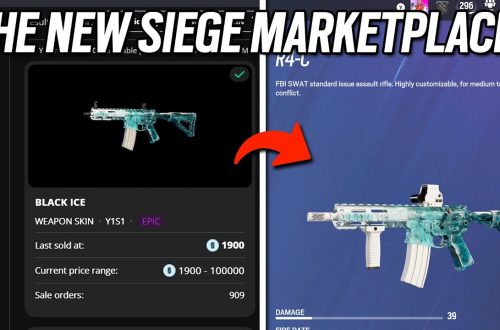
Players love it for grabbing elusive items from past seasons. For example, you might score a Black Ice skin without grinding old events. Just remember, not every item qualifies—current season stuff waits until the next one drops.
How to Access and Log In to the R6 Marketplace?
Getting started is straightforward, but you need to meet a few requirements first. Reach clearance level 25 in Rainbow Six Siege. Enable two-step verification on your Ubisoft account for security. Play a match recently to earn XP, and ensure no sanctions hit your profile.
Head to the official R6 Marketplace website through Ubisoft’s portal. Click the login button and sign in with your Ubisoft credentials. If you’re on Xbox or PS5, the process mirrors PC—use the same site. No dedicated marketplace r6 app exists yet, so stick to the browser.
I ran into a snag once when my 2FA wasn’t set up right. Double-check that in your account settings to avoid delays. Once logged in, your inventory pops up, ready for trades.
Buying and Selling Items Step by Step
Buying kicks off in the “Buy” tab. Search for items like “chroma streaks” or specific operator gear. Set your max price for a purchase order, and the system matches you with sellers. Confirm, and the item lands in your inventory after a short hold.
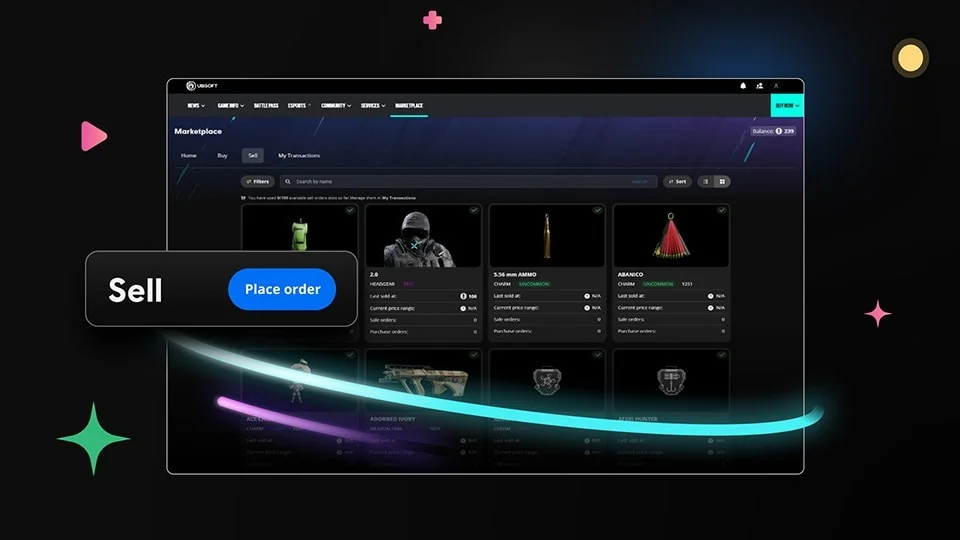
For selling, switch to the “Sell” tab. Pick an item from your list, set your asking price, and create a sale order. Ubisoft takes a 10% fee, so if you list a skin for 100 credits, you pocket 90. Pro tip: Check recent sales to price competitively. I sold an old charm for 50 credits by undercutting the market slightly.
Transactions complete quickly during peak hours. Always review details before confirming to dodge regrets.
Understanding R6 Marketplace Prices and Trends
Prices swing based on rarity and demand. Common skins hover around 10-50 credits, while rares like Obsidian or Onami dip to 100-300 lately due to increased supply. Elites can fetch 1,700 credits or more during hype.
Track prices with tools like Stats.CC, which shows history graphs. For instance, Glacier skins spiked after a pro player showcased one, then settled at 200 credits. Watch for end-of-season flips when Battle Pass items become tradable—supply is low, so prices climb.
I’ve seen chroma streaks sell for 500 credits one week, then drop to 300. Time your moves around updates and community buzz.
R6 Marketplace on Console: Xbox and PS5 Specifics
Console players access the same web-based platform as PC. Log in via Ubisoft’s site on your browser—no in-game menu yet. Trading works identically, but expect slight delays if servers lag.
Xbox users report smoother integration with Microsoft accounts, while PS5 folks might need extra 2FA tweaks. The beta focused on PC, but full rollout includes consoles. If you’re trading Aki no Tsuru skins, prices match across platforms.
One frustration: No direct app means you switch devices mid-game. Ubisoft hints at future improvements, so stay tuned.
Common Issues and Troubleshooting Tips
The marketplace faces occasional hiccups. Right now, it’s down entirely from the hack—check Ubisoft’s status page for updates. Compensation includes free items, but patience is key until March.
If it loads blank, clear your browser cache or try incognito mode. Disable ad blockers; they interfere often. Items not showing? Log out, play a quick match for XP, and relog.
I fixed a transaction glitch by contacting support with screenshots. For “r6 marketplace down” errors, it’s usually server-side—wait it out or check forums for workarounds.
Advanced Trading Strategies for Smart Profits
Go beyond basics with these tactics. Buy low during off-peak times, like late nights UTC, when listings flood in. Sell high after patches that buff operators—demand for their gear surges.
Flip bundles: Grab cheap packs, hold until rarity boosts value. I bought a uniform for 40 credits and sold it for 120 after a meta shift. Use trackers to spot undervalued items like rare charms.
Avoid scams—stick to the official site. No private trades exist, so ignore shady offers. Diversify: Mix high-risk rares with steady commons for consistent gains.
Read more amazing articles:
- https://seriocus.org/ali-larter-movies-and-tv-shows/
- https://seriocus.org/corinna-kopf/
- https://seriocus.org/artificial-intelligence/
- https://seriocus.org/venture-capital/
- https://seriocus.org/uk-house-prices/
FAQ
What is the R6 Marketplace beta?
The beta tested trading for select players before full launch. It rolled out progressively, starting with PC. Access required signing up via Ubisoft’s site, but it’s now open to all eligible accounts when online.
How do I log in to the R6 Marketplace?
Visit the Ubisoft R6 Marketplace website and sign in with your account. Enable 2FA first. If issues arise, reset your password or check connectivity.
Is the R6 Marketplace available on Xbox?
Yes, Xbox players use the web version. Log in like on PC. Trades work the same, but ensure your console links to your Ubisoft profile.
Why is the R6 Marketplace down?
A recent hack forced Ubisoft to shut it down for security fixes. It won’t return until Year 11 in March 2026. They offer compensation like free packs.
What are typical R6 Marketplace prices?
Prices vary: Commons at 10-50 credits, rares like Black Ice around 300-500. Use trackers for real-time data. Fees cut 10% from sales.
Is there an R6 Marketplace app?
No official app yet. Use the website on any device. Browser access keeps it simple and secure.
How do I trade skins on the R6 Marketplace?
Search for skins, set orders to buy or sell. Match with players automatically. Focus on popular ones like Glacier for quick flips.
Does the R6 Marketplace work on PS5?
Absolutely. PS5 users access via web, same as others. Link your PlayStation account to Ubisoft for seamless inventory sync.
How can I track R6 Marketplace prices?
Sites like Stats.CC provide graphs and history. Monitor trends to buy low and sell high.
What items are available on the R6 Marketplace?
Eligible items include skins, charms, and uniforms from past seasons. Current ones wait until next season. Not all cosmetics qualify.
Is trading safe on the R6 Marketplace?
Yes, if you stick to official channels. Ubisoft handles matches and fees. Avoid third-party sites to prevent scams.
How do I fix R6 Marketplace not loading?
Clear cache, disable extensions, or switch browsers. Check Ubisoft support for known bugs.
What are chroma streaks on the R6 Marketplace?
These are colorful weapon effects. They trade for 300-600 credits, depending on demand. Great for flipping.
Can I use the R6 Marketplace on console?
Yes, through the web. No differences in functionality between Xbox, PS5, and PC.
Why are some R6 Marketplace skins expensive?
Rarity and hype drive prices. Limited-event items like Obsidian fetch more due to scarcity.
Wrapping Up Your R6 Trading Journey
You now know the ins and outs of the R6 Marketplace. Key takeaways:
- Meet requirements and log in securely.
- Buy and sell with smart pricing to maximize credits.
- Track trends and troubleshoot issues quickly.
- Trade strategically for profits.
- Stay patient during downtimes.
Ready to dive in once it’s back? Head to our Rainbow Six Siege skins guide for more tips. Share your best trades in the comments—we’d love to hear them. Happy trading!