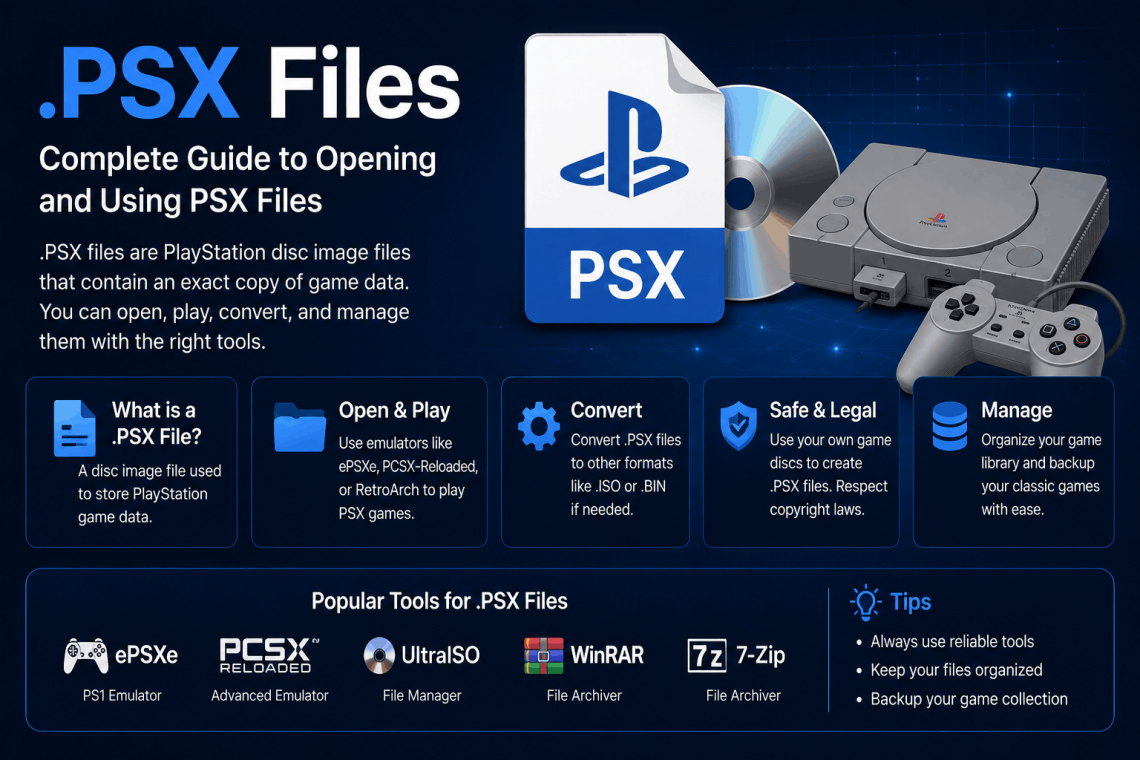
.PSX Files: The Complete Guide to Better Performance and Features
If you have ever worked with PlayStation game files, emulation software, or certain graphics applications, you have almost certainly come across the .psx file format. It shows up in retro gaming communities, professional media workflows, and software development environments yet most people who encounter it have only a surface-level understanding of what it actually does and how to get the most out of it.
This guide covers everything you need to know about .psx files: what they are, where they come from, how to open and use them properly, how to optimize their performance, and how to troubleshoot the most common problems. Whether you are a retro gaming enthusiast, an emulator user, or a developer working with legacy file formats, this is the resource you have been looking for.
What Is a .PSX File?
The .psx file extension is associated with several distinct file types depending on the context in which it appears. Understanding which type you are dealing with is the first step to using it correctly.
PlayStation Executable Files (.psx)
In the world of PlayStation emulation and game development, a .psx file is most commonly a PlayStation executable essentially the program file that runs a game or application on the original Sony PlayStation (PS1) hardware or within an emulator. These files contain the compiled machine code that the PlayStation’s MIPS processor executes directly.
PSX executables are often extracted from disc images (such as .bin or .cue files) for debugging, modding, or custom game development. They are distinct from full game disc images in that they represent just the executable portion of the software rather than the complete game data.
Corel Painter Texture Files (.psx)
In a completely different context, .psx files are also used by Corel Painter as texture or brush library files. These store custom brush settings, paper textures, and tool configurations that artists build over time. For digital artists, these files are often irreplaceable losing them means losing hours of custom workflow configuration.
Other Applications Using .psx
The .psx extension also appears in:
- Certain CAD and engineering tools as proprietary project or settings files
- Legacy database software storing structured query or schema information
- Batch processing scripts in some older Windows-based automation environments
Throughout this guide, the primary focus will be on PSX files in the context of PlayStation emulation and game development, with relevant sections addressing the Corel Painter use case where applicable.
A Brief History of the .PSX Format
To fully understand the .psx file format, it helps to know where it came from.
Sony’s original PlayStation, released in 1994, used a MIPS R3000A processor running at 33 MHz. Games were distributed on CD-ROM, and the executable files within those discs followed a format derived from standard MIPS/PS-X executable conventions. The “PSX” label itself was an informal name for the original PlayStation used widely in developer documentation and the emulation community long before Sony officially used “PSX” as a product name for an unrelated device in 2003.
When the emulation scene began to flourish in the late 1990s and early 2000s, developers building emulators like ePSXe, PCSX, and PCSX-R adopted the .psx extension to identify PlayStation executable files they extracted or worked with. This convention stuck, and today .psx remains the standard extension recognized by virtually every major PS1 emulator.
How to Open .PSX Files
Opening a .psx file correctly depends entirely on its type. Using the wrong software will either produce an error or render the file unreadable.
Opening PSX Executable Files for Emulation
For PlayStation executables used in gaming and emulation, the following tools are the most widely used and reliable:
ePSXe One of the longest-running PlayStation emulators, ePSXe supports direct loading of .psx executable files. It is available for Windows, Linux, and Android. Performance is strong for the vast majority of PS1 titles, and the plugin system allows users to configure graphics, audio, and controller input with precision.
PCSX-Reloaded (PCSX-R) PCSX-R is an open-source PlayStation emulator with excellent compatibility and active community development. It handles .psx files cleanly and offers a straightforward interface for both casual users and developers who want to inspect or run custom executables.
DuckStation Currently considered the best PlayStation emulator available, DuckStation offers advanced features including high-resolution rendering, texture replacement, CPU overclocking simulation, and an accurate cycle timing engine. It handles .psx files exceptionally well and is the recommended choice for anyone prioritizing both accuracy and performance.
PCSX2 (for PS2 PSX mode) While PCSX2 is primarily a PlayStation 2 emulator, it includes a PSX mode that can handle certain .psx format files, particularly those associated with PlayStation content packaged for the PS2’s backward compatibility layer.
Opening Corel Painter .PSX Files
For .psx files created by Corel Painter, you need Corel Painter itself ideally the same version or a newer version than the one that created the file. Corel Painter 2023 and 2024 both maintain backward compatibility with older .psx texture and brush files.
To import a .psx texture file in Corel Painter:
- Open Corel Painter
- Go to Window > Library Panels > Papers (for texture files) or Brushes (for brush libraries)
- Click the panel menu icon and select Import
- Navigate to your .psx file and confirm
If the file does not import correctly, check that the .psx file was created in a compatible version of Painter and has not been corrupted.
Identifying Unknown .PSX Files
If you have a .psx file and are not sure what type it is, a hex editor like HxD (Windows) or Hex Fiend (macOS) can help. Open the file and look at the first few bytes:
- PSX executables typically begin with the ASCII string PS-X EXE followed by null bytes
- Corel Painter files have proprietary headers specific to the application
- Unknown headers may indicate a different application entirely
Performance Optimization for .PSX Files in Emulation
Running .psx executables through an emulator is where performance tuning becomes relevant. Even on modern hardware, poorly configured emulation can result in audio stuttering, frame drops, or graphical artifacts. Here is how to get the best possible performance.
Choose the Right Emulator for Your Use Case
Not every emulator is right for every situation. Here is a quick decision framework:
| Goal | Recommended Emulator |
| Best accuracy | DuckStation |
| Best Android performance | ePSXe or DuckStation Android |
| Game development/debugging | PCSX-R with GDB support |
| Fastest performance on low-end hardware | PCSX-R |
| Upscaling and visual enhancement | DuckStation |
Configure GPU Settings Properly
The graphics plugin or renderer you choose has the largest single impact on both visual quality and performance. For DuckStation:
- Renderer: Use Vulkan for best performance on modern hardware; use Direct3D 11 for older Windows systems; use Metal on macOS
- Internal Resolution: 2x or 4x native provides a noticeable visual improvement on most systems without a significant performance hit; 8x is demanding and only recommended for high-end machines
- Texture Filtering: Bilinear (smooth) softens pixel edges; PGXP (Parallel/Precision Geometry Transform Pipeline) greatly reduces the infamous PS1 polygon wobble without breaking game compatibility
- PGXP Geometry Correction: Enable this for almost every game it is one of the most impactful visual improvements available in modern PS1 emulation
Audio Latency Reduction
Audio stuttering in PS1 emulation is usually caused by buffer size misconfiguration. In DuckStation:
- Go to Settings > Audio
- Set Backend to your system’s best option (XAudio2 on Windows, SDL on Linux/macOS)
- Reduce Buffer Size gradually until you find the lowest value that does not cause crackling
- Enable Sync to Output to prevent audio drift in longer sessions
BIOS Files and Their Impact on Performance
PS1 emulators require a BIOS dump from the original hardware to run .psx files accurately. Using the correct regional BIOS (SCPH-1001 for North America, SCPH-1002 for Europe, SCPH-1000 for Japan) ensures the best compatibility and prevents subtle timing bugs that can affect both performance and game behavior.
Using a “HLE” (High-Level Emulation) BIOS a software approximation rather than a real dump trades accuracy for convenience. For most games it works fine, but some titles with unusual BIOS dependencies will exhibit glitches or fail to load.
Advanced Features of .PSX Executables
For developers, modders, and enthusiasts who want to go beyond basic playback, .psx files offer a range of advanced capabilities.
Inspecting PSX Executables with Developer Tools
The PlayStation development scene has produced excellent open-source tools for working directly with .psx executables:
PSY-Q SDK Documentation (Legacy) Sony’s original PS1 development kit documentation describes the executable format in detail, including memory map layout, entry point conventions, and stack initialization.
mipsel-linux-gnu toolchain Modern MIPS cross-compilation tools can produce .psx-compatible executables from C source code. This is the foundation of the homebrew development scene.
psx-spx (No$PSX Hardware Reference) Martin Korth’s legendary technical reference covers every aspect of PS1 hardware in detail. Essential reading for anyone working at the executable level.
PCSX-R with GDB Stub PCSX-R supports attaching a GDB debugger to a running .psx executable, allowing breakpoints, memory inspection, and step-through debugging. This is invaluable for game modding and homebrew development.
Modifying .PSX Executables
The PS1 modding community has developed reliable workflows for modifying existing .psx executables:
- Extract the executable from a disc image using tools like CDmage or IsoBuster
- Disassemble the MIPS code using Ghidra (with the MIPS processor module) or IDA Pro
- Make targeted modifications address patches, function hooks, or data substitutions
- Rebuild the executable with corrected checksums using a PSX EXE header tool
- Repack into a disc image and test in an emulator before deploying to real hardware
This workflow is how many classic fan translations, bug fixes, and gameplay mods are produced for PS1 titles.
Creating Homebrew .PSX Files from Scratch
The PS1 homebrew scene is more active than many people realize. Tools like PSn00bSDK (a modern, open-source PS1 development library) allow developers to write C programs that compile directly to .psx executables. Projects built with PSn00bSDK run on both emulators and original hardware.
The basic structure of a homebrew project targeting .psx output:
- Write your game or application in C using PSn00bSDK APIs
- Compile using the mipsel-linux-gnu GCC toolchain targeting PS1 hardware specs
- Link against the PSn00bSDK runtime libraries
- Output is a valid .psx executable ready for emulation or disc burning
Common .PSX File Problems and How to Fix Them
Even experienced users run into issues with .psx files. Here are the most frequent problems and their solutions.
“Invalid or Corrupt Executable” Error
This error usually means one of three things:
- The file was incompletely extracted from a disc image
- The file header has been damaged (check with a hex editor the first 8 bytes should read PS-X EXE)
- You are using the wrong emulator for this type of .psx file
Re-extract the executable from the original disc image using a reliable tool like CDmage. Verify the header with HxD. If the header is intact, try a different emulator.
Black Screen After Loading
A black screen after successfully loading a .psx file typically indicates a BIOS compatibility issue or an incorrect memory map.
Fix:
- Switch to a different regional BIOS file
- Disable HLE BIOS and use a real BIOS dump
- In DuckStation, try enabling “Enable Fast Boot” to skip the BIOS intro sequence and jump directly to the executable
Audio Crackling or Desync
This is almost always a buffer configuration issue, as covered in the performance section. However, it can also occur when the CPU is not keeping up with emulation demands.
Fix: Increase audio buffer size temporarily to confirm this is the cause. If crackling stops, the buffer was too small. If it continues, check your CPU usage emulation of PS1 audio (the SPU chip) is surprisingly CPU-intensive in accurate emulators.
.PSX File Not Recognized by Software
If your system does not associate .psx files with any application:
On Windows: Right-click the file → Open With → Choose Another App → Select your emulator or Corel Painter as appropriate → Check “Always use this app”
On macOS: Right-click → Get Info → Open With → Select application → Click “Change All”
On Linux: Use xdg-mime to set the default application for the .psx MIME type, or configure your file manager’s association settings directly.
.PSX Files in Digital Art Workflows (Corel Painter)
For digital artists, the .psx format serves a very different but equally important purpose. Corel Painter’s brush and texture libraries represent significant creative investment, and managing them properly protects that work.
H3: Backing Up Your .PSX Texture Libraries
Corel Painter stores .psx files in the application’s user data directory. On Windows, this is typically:
C:\Users\[Username]\AppData\Roaming\Corel\Painter [Version]\
On macOS:
~/Library/Application Support/Corel/Painter [Version]/
Back up the entire contents of this folder regularly not just the .psx files, but all library files. Cloud backup services or a simple external drive schedule work well for this.
H3: Sharing .PSX Brush Libraries Between Machines
If you work on multiple computers or want to share custom brushes with collaborators, .psx files make this straightforward:
- Locate the .psx file on your source machine
- Copy it to your destination machine’s Corel Painter library directory
- In Painter, use the panel menu to Import the library
- The brushes or textures will appear immediately in the panel
Note that some brush variants reference external media files. If your brushes use custom image textures, those files need to transfer alongside the .psx library file.
Best Practices for Managing .PSX Files
Whether you are dealing with game executables or creative software libraries, good file management habits save time and prevent data loss.
Keep originals intact. Never modify your only copy of a .psx file. Always work on a duplicate. This is especially true for PSX executables a corrupted header makes the file unreadable.
Use descriptive naming. If you maintain multiple .psx executables (such as different builds of a homebrew project), use clear naming conventions: project_v1.2_debug.psx, project_v1.2_release.psx, etc.
Document your configuration. Emulator settings that work perfectly for one .psx file may not work for another. Keep a simple text file alongside each executable noting which emulator version and settings produced the best results.
Version control for development. If you are actively developing or modifying .psx executables, use Git or another version control system. MIPS executables are binary files, so use Git’s binary file support and maintain meaningful commit messages that describe each change.
The Future of .PSX Format Support
The .psx format is not going anywhere. The PS1 library contains thousands of titles, many of which have never been officially re-released on modern platforms. Emulation remains the only practical way to access much of this software, and the .psx executable format sits at the heart of that preservation effort.
Emulator development continues to advance. DuckStation’s PGXP rendering improvements, texture replacement systems, and accurate audio emulation have transformed what was once considered acceptable emulation quality into something genuinely impressive. Future improvements in CPU cycle accuracy and GPU emulation will only make .psx file playback more faithful to the original hardware experience.
For digital artists using Corel Painter, the .psx format will persist as long as Painter itself does and given the application’s dedicated professional user base, that appears to be for the foreseeable future.
Wrapping Up
The .psx file format is one of those quietly powerful formats that appears in very different contexts but rewards anyone who takes the time to understand it properly. For gamers and emulation enthusiasts, mastering .psx files means better performance, more accurate gameplay, and the ability to participate in one of the most active preservation and modding communities in gaming. For digital artists, it means protecting and extending a library of custom tools that define your creative workflow.
Use the right tools, configure them correctly, back up what matters, and you will get the best that the .psx format has to offer on whatever platform you are working from.